The AI tools most businesses should buy in 2026 are not necessarily the tools with the best launch videos or benchmark scores. They are the tools that improve a specific workflow without creating more subscriptions, security exceptions, duplicate data, or maintenance than the work is worth.
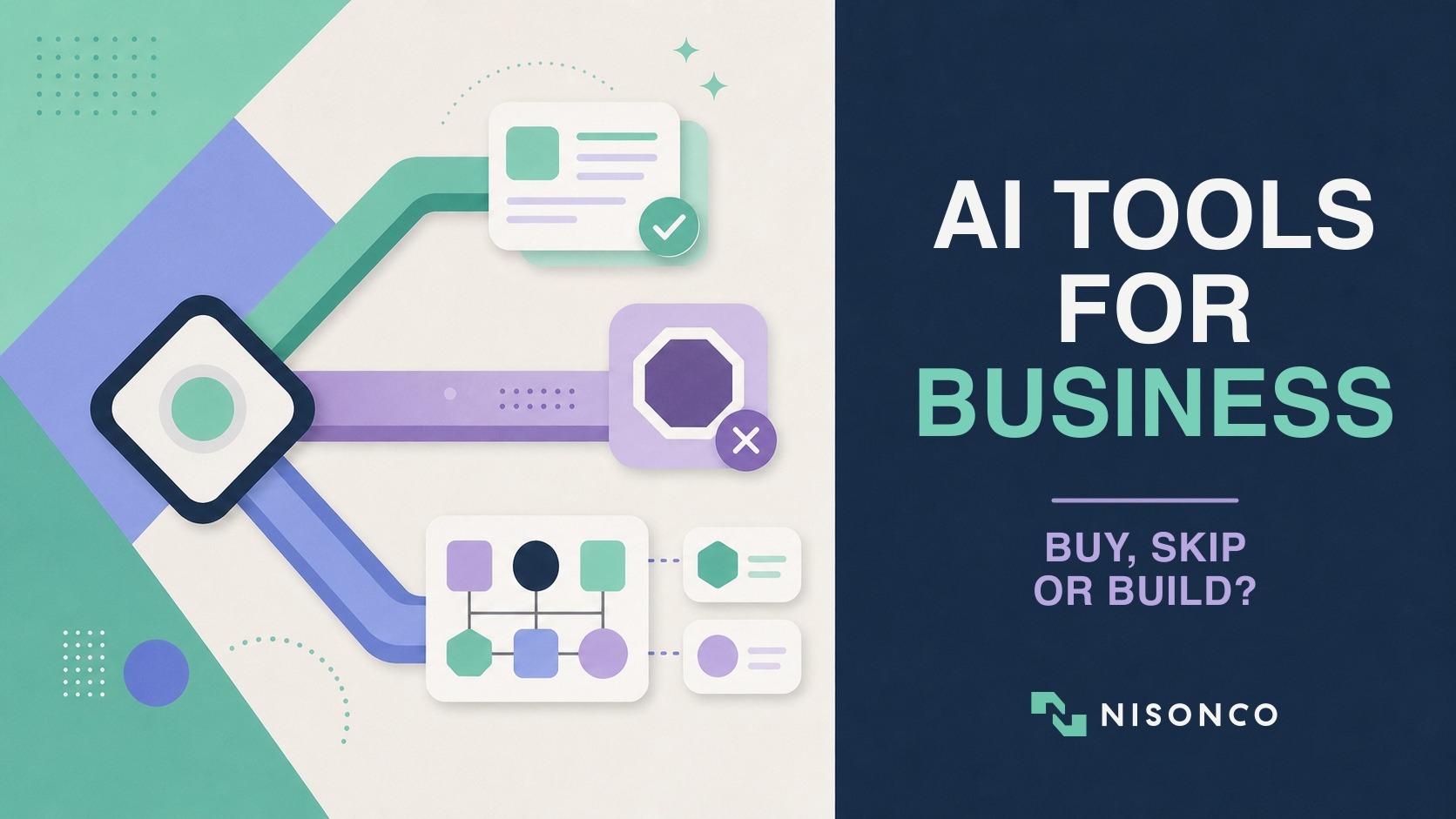
That is why a useful AI buying process begins with three choices: buy, skip, or build. Buy commodity capabilities that vendors already deliver well. Skip tools that duplicate your current stack or solve a problem you do not have. Build only where a proprietary workflow, data advantage, or integration gap can justify ownership.
This article is the decision framework. If you want a tool-by-tool shortlist after you have identified the jobs that matter, use our companion guide to the AI business tools we actually recommend.
– The Buy, Skip or Build Framework
– How to Choose AI Tools for Your Business
– AI Tool Categories Worth Evaluating
– What to Buy, Skip, and Build by Workflow
– Three AI Tool Selection Examples
– Calculate Total Cost of Ownership
– A 30-Day AI Tools and Stack Audit
Quick Takeaways
– Buy when a workflow is common, standardized, and already solved well by a vendor.
– Skip when the product duplicates a tool you own, adds marginal value, or lacks a clear workflow owner and success metric.
– Build when the workflow is specific to how your business competes, depends on proprietary data, crosses systems no vendor connects well, or runs often enough to justify maintenance.
– Most small and midsize businesses should standardize on one primary AI assistant before buying specialist tools.
– Subscription price is only one cost. Include implementation, data cleanup, human review, usage credits, integrations, training, monitoring, and switching costs.
– Do not turn an experimental agent into a production process until you can measure its quality, failures, permissions, and rollback path.
The Buy, Skip or Build Framework
Buy when the work is commodity. Meeting transcription, general drafting, help-desk triage, standard CRM enrichment, scheduling, document search, and basic workflow automation are common problems. A mature vendor usually offers better permissions, integrations, support, and uptime than an internal version a small team can maintain.
Skip when the value is redundant or unclear. A second AI writer, a third meeting recorder, or a standalone summarizer often duplicates capabilities included in a general assistant or office suite. “Not now” is a legitimate technology decision, especially when no owner can explain which metric should improve.
Build when the workflow is part of the advantage. A custom system may make sense when the process combines proprietary data, unusual approval rules, industry-specific signals, or a sequence of systems no off-the-shelf product handles well. The goal is not to build another chatbot. It is to encode a valuable operating process.
The important distinction is not custom versus off-the-shelf. It is commodity versus competitive. Buy commodity capability. Build the layer that reflects how your organization works differently.
How to Choose AI Tools for Your Business
Use the questions below as a decision sequence, not a numerical score. A product does not become a good purchase because it accumulates points; one serious security, ownership, integration, or value problem can still make the right answer “not now.”
1. Is the Business Value Clear?
Name the workflow, current cost, expected improvement, affected users, and owner. If nobody can explain which measurable outcome should change, skip the tool for now.
2. Is the Workflow Common or Distinctive?
If many companies solve the same problem in roughly the same way, buy first and compare mature vendors. If the workflow reflects proprietary data, unusual approvals, or a process that creates competitive advantage, consider a custom build.
3. Can One of Your Existing Tools Already Do It?
Check the primary assistant, office suite, CRM, support platform, and automation system before adding another subscription. If the capability already exists and meets the requirement, use what you have. If the proposed product mostly duplicates the stack, skip it.
4. What Data and Systems Must It Access?
A commercial product is usually the better choice when its integrations, permissions, contracts, and security controls fit the job. A custom layer becomes more reasonable when important systems remain disconnected or the workflow needs unusual isolation, residency, or role-based access.
5. What Happens When It Is Wrong?
Low-consequence drafting can often use a standard product with human review. Workflows that affect customers, money, regulated claims, access, or production data need stronger testing, deterministic checks, approvals, logging, and rollback. Those requirements may favor either a well-governed vendor or a custom implementation.
6. Does the Volume Justify Custom Work?
At low or moderate volume, a subscription is often cheaper than building and maintaining software. High volume can change the calculation when a custom workflow removes repeated labor, reduces error, or consolidates several tools. Compare total cost, including setup, review time, failures, and maintenance, rather than license price alone.
7. Who Will Own It After Launch?
If no one owns evaluation, permissions, user support, incidents, and updates, buy a supported product or skip the project. Investigate a build only when a named owner, maintenance budget, test process, and support plan exist.
Default to buy when the job is standardized and a reputable vendor meets the security and integration requirements.
Default to skip when the expected benefit is small, the tool overlaps the current stack, or the workflow has no owner.
Investigate build when differentiation, volume, or integration gaps are high and the organization is prepared to maintain the result.
For higher-risk systems, use a governance framework rather than an informal checklist. The NIST AI Risk Management Framework organizes AI risk work around governing, mapping, measuring, and managing. Its Generative AI Profile adds considerations such as pre-deployment testing, content provenance, and incident disclosure.
AI Tool Categories Worth Evaluating
Before buying specialist tools, standardize on one primary assistant or AI-enabled work suite. This reduces overlapping subscriptions, gives employees a common starting point, and makes training and governance easier.
ChatGPT Business is a strong candidate for teams that want chat, analysis, coding, connected apps, business workflows, and ChatGPT Work in one environment. OpenAI lists Business at $20 per user per month annually or $25 monthly as of July 2026, with additional usage available for flexible features.
Claude Team is a strong candidate for teams that prefer Claude’s models, Claude Code and Cowork, Microsoft 365 integrations, and a document-heavy workflow. Anthropic lists standard Team seats at $20 per user per month annually or $25 monthly, with a five-seat minimum, as of July 2026.
Microsoft 365 Copilot is a natural candidate when employees spend most of the day in Microsoft 365 and the company wants AI working inside its existing identity, files, meetings, email, and office applications. Review the current Microsoft 365 Copilot plans and pricing for your tenant and company size.
Google Workspace with Gemini is a natural candidate for Google-centric organizations. Google now includes different levels of Gemini capability across Workspace plans; compare the current Workspace plan matrix rather than assuming a separate AI add-on is required.
The tie-breaker is usually not the monthly benchmark winner. It is where company data already lives, what integrations are governed, what employees will actually use, and which assistant performs well on the company’s representative work.
What to Buy, Skip, and Build by Workflow
Content and SEO
Buy: Reliable search data, crawling, rank tracking, competitive research, and publishing infrastructure. These capabilities depend on maintained datasets and integrations that are expensive to recreate.
Skip: Multiple AI writing products that perform the same job, any “beat the AI detector” product, and automated publishing that has no expert review or source verification.
Build: The process layer that turns subject-matter input into a sourced draft, editorial review, CMS publication, internal linking, refresh schedule, and performance measurement. The differentiator is the governed workflow, not another text generator.
Customer Support
Buy: A support agent built into the ticketing platform when it can use the existing knowledge base, respect permissions, expose citations, escalate cleanly, and report resolution quality.
Skip: A standalone FAQ bot that duplicates help-center search or cannot connect actions back to the ticket and customer record.
Build: A controlled orchestration layer when the answer depends on proprietary order, billing, policy, or account systems. Use deterministic rules for eligibility, refunds, and other logic that should not rely on model judgment alone.
Sales and Lead Generation
Buy: Contact data, email verification, compliant sequencing, and CRM infrastructure. Data freshness, deliverability, and consent controls are vendor-scale problems.
Skip: A second overlapping database, “personalization” that merely rewrites a generic template, or autonomous outreach without an approval and suppression process.
Build: The proprietary signal layer: licensing events, permit filings, product launches, hiring changes, conference participation, or other niche triggers that identify why an account matters now. Route those signals through a transparent scoring and human-review queue.
Meetings and Knowledge
Buy: Meeting capture and enterprise search when the vendor already integrates with the calendar, conferencing system, permissions, and document repositories.
Skip: Recording every call without retention rules, consent, an owner, or a process for turning the transcript into an action.
Build: Narrow, high-value retrieval over a controlled corpus such as SOPs, research, policies, or case histories, especially when answers need citations and role-based access.
Analytics and Reporting
Buy: The governed data warehouse, business intelligence layer, and metric definitions. AI cannot rescue inconsistent source data or competing definitions of revenue, lead, churn, or margin.
Skip: AI analytics tools that connect directly to messy operational systems and produce confident narratives without tested metrics.
Build: A narrative and workflow layer that converts governed metrics into weekly reviews, anomaly explanations, action queues, and team-specific briefings. Keep the calculations deterministic and use AI for explanation, summarization, and investigation.
Automation and Internal Operations
Buy: Workflow automation for common system-to-system triggers, notifications, approvals, and data movement. Existing automation platforms offer maintained connectors, logs, retries, and credentials management.
Skip: Automating a broken process or allowing an agent to improvise mission-critical logic that could be expressed as ordinary code and tested.
Build: High-volume or exception-heavy workflows that are specific to the organization. Use deterministic software for validations, transformations, calculations, access rules, and state changes. Use models where language understanding, classification, research, or drafting adds value.
Three AI Tool Selection Examples
A professional-services firm
Buy: One general assistant, the existing office suite’s AI capabilities, meeting capture, CRM, and a standard automation platform.
Skip: Separate tools for email rewriting, document summarization, proposals, and meeting summaries if the core assistant and CRM already cover them.
Build: A client-preparation workflow that gathers approved CRM history, relevant email, project files, prior deliverables, and recent industry news into a sourced briefing. The firm’s method and account context create the advantage.
An ecommerce company
Buy: The commerce platform’s support, merchandising, email, analytics, and product-management ecosystem.
Skip: A generic product-description generator with no catalog, inventory, compliance, or brand context.
Build: A governed content and merchandising workflow that detects catalog gaps, uses approved claims, checks inventory and margin rules deterministically, drafts copy, routes review, and publishes only after approval.
A regulated business
Buy: Tools with appropriate contracts, auditability, access controls, retention settings, and compliance support.
Skip: Consumer tools that require copying sensitive client or patient information into an unmanaged account.
Build: The policy and review layer that restricts allowed data, sources claims, applies jurisdiction-specific rules, records approvals, and prevents prohibited actions. The model should not be the only control.
Calculate Total Cost of Ownership
A $20 seat can be expensive if no one uses it. A five-figure custom workflow can be economical if it replaces thousands of repetitive hours and remains reliable. Compare options with the same cost model:
Subscription or API usage: Seats, credits, model calls, search, storage, and premium features.
Implementation: Configuration, integrations, data cleanup, templates, permission review, and migration.
Human review: The time required to verify facts, correct outputs, approve actions, and handle exceptions.
Operations: Monitoring, evaluations, incident response, vendor changes, model updates, and retraining employees.
Failure: Incorrect actions, missed leads, bad customer replies, compliance issues, or time spent recovering from an unreliable workflow.
Exit: Data export, replacement integrations, process changes, and the cost of leaving a vendor.
Measure cost per accepted outcome, not cost per prompt. That makes a vendor tool, a subscription, an API workflow, and custom software comparable on the business result.
A 30-Day AI Tools and Stack Audit
Week 1: Inventory. Record every AI product, owner, user group, monthly cost, connected data, and primary workflow. Cancel obvious duplicates only after confirming they are not part of an active process.
Week 2: Measure. For each tool, identify one outcome: hours saved, accepted drafts, resolved tickets, qualified meetings, completed reports, or another verifiable result. “Employees like it” is useful feedback, not a business case by itself.
Week 3: Classify. Put each workflow into buy, skip, or build. Flag systems with sensitive data, high-consequence actions, unclear permissions, or no review owner.
Week 4: Standardize. Select the default assistant, remove redundancy, define approved use cases, and choose one high-value workflow for a controlled pilot. Document the owner, sources, permissions, test cases, and rollback path.
If you are deciding whether to own the build internally, compare the real tradeoffs in our guide to in-house versus contractor AI teams. You can also review examples of custom AI tools before assuming custom software is the answer.
Frequently Asked Questions
Should a small business build or buy AI tools?
Buy common capabilities such as a general assistant, transcription, standard support automation, and workflow connectors. Consider building only when the workflow is high-value, specific to the company, difficult to support with existing integrations, and important enough to maintain.
How many AI tools does a business need?
Usually fewer than it initially buys. One primary assistant, the AI already included in the office or operational suite, and a small number of specialist tools for high-volume workflows is a stronger starting point than a large collection of overlapping point products.
When should a business skip an AI tool?
Skip it when no named owner can define the workflow and success metric; it duplicates an existing capability; the data or action risk exceeds the available controls; or the expected benefit does not cover implementation and review.
Is custom AI software cheaper in 2026?
AI-assisted development has reduced the effort required to prototype and build software, but maintenance, security, evaluation, permissions, data quality, and incident response remain. Custom work is cheaper than it was for the right workflow, not automatically cheaper than buying a maintained product.
How should businesses compare AI products?
Use the same representative tasks, data, constraints, and reviewers. Score accepted output quality, completion time, human correction time, failure rate, total usage, permissions, and operational fit. A repeatable result matters more than one impressive demonstration.
NisonCo helps companies audit AI stacks, decide what to buy, design what to build, and operate the resulting workflows. Explore our AI consulting and custom development services, browse the AI Tool Gallery, or contact us for a practical second opinion.