Table of Contents
– What Is AI Lead Generation With Claude?
– AI Lead Generation Tools and Sales Prospecting
– Data Sources, Browser Automation and Validation
– Using CLAUDE.md for Repeatable Sales Prospecting
– An AI Lead Generation Workflow Step by Step
– Claude Cowork for Non-Technical Sales Teams
– The Dispatch Feature: Directing Agents from Mobile
– How to Measure AI Lead Generation Results
– Human Review, Compliance and Deliverability
Quick Takeaways
– AI agents can accelerate account research, enrichment, segmentation, and outreach drafting, but source validation and human approval still matter.
– Claude Code is best suited to workflows that benefit from scripts, files, APIs, and deterministic validation; Cowork makes many of the same agentic patterns accessible through a graphical interface.
– Browser automation should use approved, permissioned interfaces and respect platform terms. Prefer official APIs or licensed exports when they are available.
– A CLAUDE.md file can codify your ICP, data standards, qualification rules, and approval gates so the workflow starts from the same instructions each time.
– Measure qualified meetings, data accuracy, review time, and total cost, not just the number of accounts processed or messages drafted.
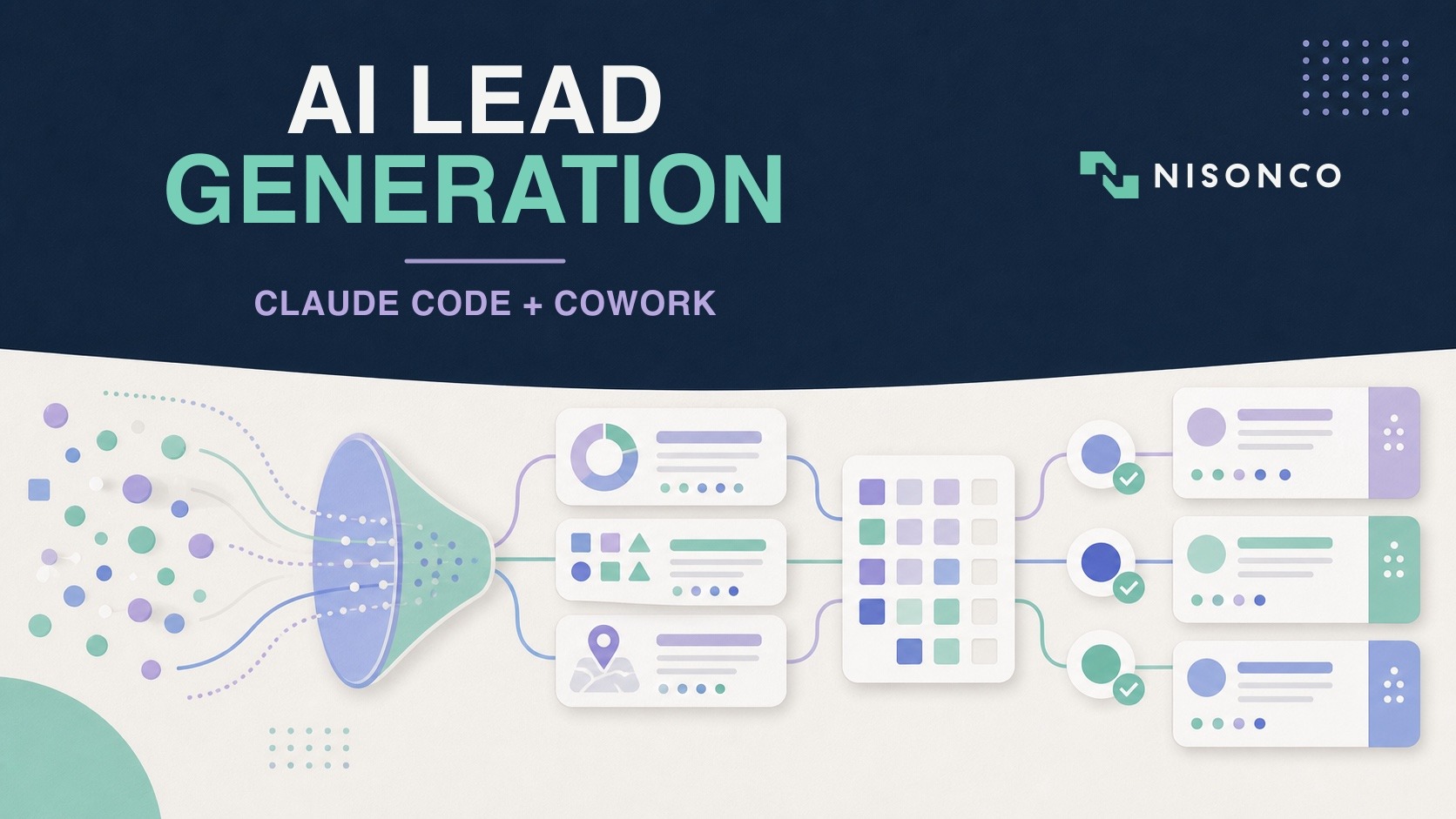
Sales teams have long used AI to draft emails or summarize call notes. Agentic tools extend that assistance into multi-step work: researching a bounded account list, structuring the findings, validating fields, preparing a CRM import, and drafting messages for review.
The opportunity is meaningful, but so is the operational risk. An agent can reproduce an incorrect assumption across hundreds of records just as quickly as it can remove repetitive work. Reliable AI lead generation therefore depends on explicit data sources, narrow permissions, deterministic checks, and approval gates before records are written or messages are sent.
This guide explains how Claude Code, Claude Cowork, approved data sources, and browser or API tools can fit into a controlled lead-generation workflow. It also covers measurement, compliance, and the boundaries that keep efficiency gains from becoming data-quality or deliverability problems.
– ChatGPT Work can support many of the same research-to-deliverable tasks as Cowork, but Claude Code remains especially useful when the workflow needs scripts, deterministic validation, structured files, and reusable CLAUDE.md instructions.
What Is AI Lead Generation With Claude?
Anthropic’s Claude ecosystem spans several ways of working. Claude Code is an agentic coding environment that can inspect files, run approved commands, and help build or operate scripts. Claude Cowork provides an agentic workspace for knowledge work without requiring every user to work directly in a terminal. The right surface depends on the task, the user’s technical comfort, and the systems that the workflow must reach.
Claude Code for Repeatable, Testable Operations
Claude Code is useful when the workflow benefits from deterministic code alongside model judgment. A script can validate email syntax, normalize company names, enforce an output schema, deduplicate records, and stop the process when required fields are missing. Claude can then handle work that is harder to express as fixed rules, such as summarizing a company’s positioning or classifying a trigger event.
This division of labor matters. Not every step should be delegated to a model. Use ordinary code for stable rules, calculations, transformations, and validation; reserve model calls for interpretation, extraction from messy sources, and drafting. That improves reproducibility and makes failures easier to diagnose.
Cowork for Bounded Knowledge-Work Tasks
Cowork is useful for teams that want to describe and review a multi-step task through a graphical interface. A sales operations user might provide a source file, ask Cowork to research a defined set of companies, require a source URL for every claim, and save the result as a reviewable spreadsheet. Access and availability vary by plan and rollout, so confirm the current product details before designing a production process around a specific feature.
Claude Code vs Cowork for Lead Generation
A governed workflow might use Cowork to research a bounded account set, an approved data provider or export to supply firmographics, deterministic code to normalize and validate fields, and Claude Code to prepare a reviewed CRM import. Keep direct CRM writes and outbound messages behind explicit approval until the workflow has demonstrated reliable performance.
Where ChatGPT Work Fits in an AI Lead Generation Workflow
ChatGPT Work is OpenAI’s agent for longer research and finished deliverables. It can analyze information and create documents, spreadsheets, presentations, reports, and Sites. Work runs in the cloud on web and mobile, while the desktop app can use approved local files and applications with the user’s permission. Our plain-English ChatGPT Work guide explains its capabilities and operating modes in more detail.
For lead generation, Work can take a bounded account list, research criteria, approved sources, and an output schema, then produce a reviewable research file. That makes it a practical alternative to Cowork for some non-technical teams. It does not remove the need for deterministic validation, source checking, or approval before CRM imports and outbound messages. Teams evaluating both products can use our ChatGPT Work vs Claude Cowork comparison to choose by workflow rather than by brand.
AI Lead Generation Tools and Sales Prospecting
AI agents are becoming a practical part of sales operations, but adoption data is not a guarantee of results. Here is what current research suggests and what a team should measure in its own pipeline.
The Data Behind AI Lead Generation Adoption
Salesforce’s 2026 State of Sales surveyed roughly 4,050 sales professionals between August and September 2025 and found that about half of sellers have already used AI agents and nearly nine in ten expect to by 2027. Prospecting is among the top use cases: 92% of sellers using AI agents say the agents benefit their prospecting, and teams expect agents to cut prospect research time by about 34% once fully implemented. The benefits cluster around three areas: speed (agents work 24/7), coverage (they can research hundreds of accounts in parallel), and personalization at scale (they draft contextual outreach grounded in real signals).
McKinsey’s research on AI-powered marketing and sales estimates that generative AI can lift revenue by 3–15% and improve sales ROI by 10–20% when organizations pair AI with proprietary data and disciplined operating practices. Marketing and sales rank as the top two functions for genAI adoption, with the largest year-over-year increase occurring in these GTM functions.
What AI Agents Actually Do in Lead Generation
AI agents for sales prospecting handle the repetitive, high-volume tasks that traditionally consume sales development and business development rep time:
Account research: Agents navigate company websites, funding databases, job boards, and news sources to compile firmographics, recent triggers (hiring, product launches, funding), and tech stack intel.
Lead enrichment: They normalize contact data, append missing fields (title, company size, location), and score accounts against your ICP criteria.
Segmentation and routing: Agents tag leads by persona, deal size, and qualification status, then route them into the right CRM queue with context notes.
Hyper-personalized outreach: They draft first-touch emails and follow-ups that reference specific, verified details (recent blog posts, conference attendance, shared connections) rather than generic templates.
Recurring intelligence: Agents monitor target accounts for trigger events and deliver weekly digests so your team can strike when prospects are in-market.
The shift from chat-based AI to agentic, autonomous execution is what makes this possible. Instead of asking Claude a question and copying the answer into a spreadsheet, you define a workflow once, using tools like Claude Code and Cowork, and the agent executes it on a schedule or on-demand, with human checkpoints at critical gates.
Data Sources, Browser Automation and Validation
One of the most powerful (and underutilized) capabilities in AI lead generation is browser automation. When your agent can navigate, read, and interact with web interfaces just like a human, you unlock end-to-end prospecting workflows that don’t require API access or manual copy-paste.
How Browser Automation Accelerates Prospecting
Imagine tasking Claude with this instruction: “Research 30 SaaS companies in the HR tech space that raised Series A funding in the past six months. For each, capture the CEO’s name, company headcount, recent product launches, and a link to their latest blog post. Output as CSV.” With browser control, Claude can:
– Query funding databases and navigate result pages
– Visit each company’s About page to extract leadership names and headcount signals
– Check the company blog for recent posts and capture URLs
– Compile structured data into a spreadsheet, citing sources for every claim
When an approved tool has no API, a permissioned browser workflow can reduce repetitive point-and-click work. Keep the task narrowly scoped, respect the site’s terms and rate limits, capture a source URL for every researched claim, and require a human to review the output before enrichment data is imported or outreach is sent.
Practical Use Cases for AI-Driven Browser Research
Competitor and market intelligence: Automate monthly scans of competitor pricing pages, case study libraries, and job postings to identify positioning shifts and market moves.
Trigger event monitoring: Set up recurring Cowork tasks to check target accounts’ newsrooms, press release pages, and leadership LinkedIn profiles (via exports) for funding, M&A, or executive changes.
Conference and event prospecting: Pre-conference, instruct Claude to research attendee lists (where public), capture company details, and draft personalized booth-visit emails. (For more on conference lead gen strategy, check out our outbound conference lead generation services.)
Content and social proof mining: Have agents scan prospects’ blogs, case studies, and testimonial pages to identify pain points, use cases, and language you can mirror in outreach.
The key to reliable browser automation is scoping tasks narrowly, using allow-listed domains, and building in human review checkpoints before any outreach goes live. Claude’s web and citation features can help preserve source URLs, but they do not guarantee that every field is correct. Require a source column, validate critical facts against the underlying page, and flag unsupported fields rather than filling them by inference.
Using CLAUDE.md for Repeatable Sales Prospecting
One of Claude Code’s most powerful (and least understood) features is the ability to use CLAUDE.md instruction files to codify your lead generation playbook. Think of a CLAUDE.md file as a persistent instruction manual that lives in your workspace or code repository, telling Claude exactly how to execute tasks according to your ICP, data standards, and workflow logic.
Why CLAUDE.md Files Matter for Lead Gen
Without a CLAUDE.md file, every time you ask Claude to enrich leads or draft outreach, you have to re-explain your ICP criteria, preferred data sources, and qualification disqualifiers. With a CLAUDE.md file in place, those rules are always active. Claude reads the file at the start of every task and applies your standards automatically, ensuring consistency across team members, tasks, and time.
What to Include in Your Lead Gen CLAUDE.md
Here’s a template structure for a lead generation CLAUDE.md file:
ICP definition and tiering: Describe your ideal customer profile with firmographic ranges (company size, revenue, industry verticals, geography) and tier accounts (Tier 1 = enterprise, Tier 2 = mid-market, etc.). Include explicit disqualifiers (e.g., “Do not target non-profits or government agencies”).
Enrichment priority and schemas: List the data fields you need (title, company size, tech stack, recent funding), preferred sources (Apollo, ZoomInfo exports, public databases), and the order of operations for enrichment tasks.
Qualification rules: Define what makes a lead “qualified” vs. “nurture” vs. “disqualified,” with scoring logic tied to specific signals (e.g., “Job title must include ‘Director,’ ‘VP,’ or ‘Head of'”).
Naming conventions and file ops: Specify how to name output files (e.g., “leads_[segment]_[YYYY-MM-DD].csv”), where to save them, and how to version deliverables.
Safe-ops guidelines: Instruct Claude to always request approval before executing shell commands, sending emails, or deleting files. Require source citations for every enrichment claim.
Bootstrapping Your CLAUDE.md with /init
Claude Code includes an /init command that generates a starter CLAUDE.md file based on a brief conversation about your project. For lead generation, you might prompt: “Initialize a CLAUDE.md for a B2B SaaS lead gen workflow targeting mid-market HR tech companies. Include ICP criteria, enrichment priority, and data standards.” Claude will draft a file you can then edit and refine. Once in place, every subsequent task inherits those instructions.
A well-structured CLAUDE.md file gives the workflow a repeatable starting point and makes its rules easier to review. Treat it as version-controlled operating documentation, then measure whether it actually improves completion rate, consistency, and review time.
An AI Lead Generation Workflow Step by Step
Now let’s put it all together: how do you actually design and deploy an end-to-end AI-driven agentic workflow for lead generation? Here’s a step-by-step playbook that works across industries.
Step 1: Map Your Lead Gen Stages and Assign Ownership
Start by documenting your current lead generation process from end to end. A typical B2B flow looks like this: research/discovery → list building → enrichment → segmentation → first-touch outreach → follow-up sequencing → CRM routing → handoff to sales. For each stage, decide which tasks can be fully automated, which require AI assistance with human review, and which remain human-only.
For example: research and enrichment are excellent candidates for full automation (with review gates); outreach drafting benefits from AI generation with human editing; and final send decisions often remain human-controlled until you’ve validated deliverability and response quality.
Step 2: Build the Research and Discovery Workflow
The same bounded research instruction can be tested in Cowork or ChatGPT Work: “Research these 25 companies using only the approved sources below. Return company name, relevant executive, qualifying trigger, source URL, confidence level, and recommended segment. Do not infer missing values. Mark unsupported fields for review, and do not write to the CRM or send messages.” Comparing source accuracy, missing-field behavior, completion time, and required editing gives the team a more useful answer than comparing feature lists.
Use Claude Cowork or Claude Code with browser automation to execute your top-of-funnel research. A sample task instruction might be: “Identify 50 companies in the HR SaaS space with 100–500 employees that announced Series A funding in Q1 2026. For each, capture company name, CEO name, HQ location, funding amount, and a link to the funding announcement. Output as CSV with source URLs.”
Use an approved research surface to gather public company information and retain a source URL for every field. If the workflow is recurring, Cowork can schedule the research, but review access, platform terms, rate limits, and output quality before allowing unattended runs.
Step 3: Enrich and Validate with Claude Code
Once you have a raw prospect list, pass it to Claude Code for enrichment and normalization. Using scripts defined in your CLAUDE.md file, Claude can append missing data fields, validate email formats, score accounts against ICP criteria, and flag duplicates. If you use a third-party data provider with an API, Claude Code can query it programmatically; if not, browser automation can navigate export/import workflows.
Output should be a clean, segmented list with standardized fields, qualification scores, and source attribution for every data point.
Step 4: Generate Hyper-Personalized Outreach
Feed your enriched list back to Claude with instructions like: “For each lead, draft a 3-sentence first-touch email that references their recent funding round, mentions a specific use case from our case study library that matches their industry, and includes a single CTA to book a 15-minute demo. Use a consultative, peer-to-peer tone. Cite sources for every personalization claim.”
Because Claude can access web search and your knowledge base (via uploaded files or integrations), it can ground outreach in real evidence, not generic “I saw you’re in HR tech” lines. The result is hyper-personalized outreach AI that feels researched and relevant, dramatically improving reply rates compared to batch-and-blast templates.
Before sending, route drafts through a human review queue. Early in your AI lead generation rollout, review 100% of messages; as you validate quality and tone, you can shift to spot-check sampling.
Step 5: Route to CRM with Context and Next Actions
Use Claude Code to push qualified leads into your CRM (Salesforce, HubSpot, Pipedrive, etc.) with structured context: lead source, qualification reason, personalization notes, and suggested next action. Include links to source materials so your sales team can reference the same intelligence that informed the outreach.
If you’re using DocuSign’s new Cowork integration, you can even trigger agreement drafting and routing workflows automatically when SQL criteria are met, moving from prospecting to contracting without leaving the agent surface.
Step 6: Monitor, Iterate, and Scale
Set up recurring Cowork tasks to monitor pipeline metrics (reply rates, meeting-book rates, SQL conversion) and flag anomalies. Use Claude to generate weekly performance summaries and recommend A/B test variants for messaging, subject lines, and CTAs. As you validate what works, codify successful patterns in your CLAUDE.md file and scale the workflow to new segments.
This is not set-it-and-forget-it automation. Treat it as a measured operating process: review outputs, compare performance with a baseline, refine the instructions, and retire workflows that do not improve qualified pipeline or reduce verified effort. McKinsey’s estimates describe potential across marketing and sales functions, not a guaranteed return for any individual lead-generation program.
Claude Cowork for Non-Technical Sales Teams
If your sales and marketing teams don’t have engineering support, or if you want to empower them to build AI workflows independently, Claude Cowork is the accessible entry point for AI lead generation. TechCrunch describes Cowork as “Claude Code without the code,” and that’s exactly right: it brings agentic automation to knowledge workers through natural language and a graphical interface.
Getting Started with Cowork for Lead Gen
Cowork is now available to anyone with a $20/month Claude Pro subscription, lowering the barrier to entry for small and mid-sized sales teams. To use Cowork for lead generation, you designate a workspace folder on your desktop, then describe tasks in plain language: “Every Monday morning, research companies in the fintech space that announced new executive hires in the past week. Compile a list with company name, new hire name and title, LinkedIn profile link, and a draft intro email. Save as fintech_leads_[date].csv.”
Cowork plans the task, shows you the steps it will take, and asks for permission before executing file operations, web navigation, or external actions. This built-in approval flow makes it safer for non-technical users while preserving auditability, every action is logged and traceable.
Practical Cowork Use Cases for Sales Teams
Weekly account intelligence digests: Monitor target accounts for trigger events (funding, leadership changes, product launches) and deliver a summary email every Friday.
Competitive positioning briefs: Research competitors’ recent case studies, feature announcements, and pricing changes; output a brief you can use in sales calls.
Event and conference prep: Pre-event, compile a list of attendees (from public lists or your CRM), research their companies, and draft personalized meeting requests. (This mirrors tactics we use in our conference lead generation service.)
Inbox triage and follow-up drafting: Surface high-priority inbound replies, categorize them by intent, and draft context-aware follow-ups for your review.
Because Cowork integrates with DocuSign and other enterprise tools, you can extend workflows beyond research into execution, creating agreements, routing approvals, and tracking status without switching applications.
Teaching Your Team to Use Cowork
The learning curve for Cowork is minimal: if your team can write clear email instructions, they can write effective Cowork prompts. Start with a pilot group of 2–3 sales development reps or account managers, define 2–3 high-value, recurring tasks, and have them run the workflows with review gates for the first month. Document what works in shared playbooks (using your CLAUDE.md conventions), then roll out to the broader team. Early adopters often become internal champions who train peers and identify new automation opportunities.
The Dispatch Feature: Directing Agents from Mobile
On July 7, 2026, Anthropic expanded Claude Cowork to the web and mobile and introduced Dispatch, a feature that keeps a single persistent thread routing tasks to Claude Code or Cowork so work can continue while your laptop is closed. It lets you start a task at your desk, monitor and direct it from your phone, and pick up the finished output later. The mobile and web experience rolled out in beta starting with Max-plan subscribers, with more plans to follow. For field sellers, traveling executives, and remote teams, this means you can kick off research, reporting, and follow-up workflows from anywhere.
Why Dispatch Matters for Lead Generation
If you are at a conference, client meeting, or industry event, Dispatch can route a remote Cowork or Claude Code task from your phone and let that remote session continue while the laptop is closed. If the requested workflow depends on local files, local applications, or browser control on the desktop, the computer and Claude desktop environment must remain available. Keep CRM writes and outbound messages behind explicit approval.
This mobility layer is particularly valuable for account-based selling and conference prospecting, where timing and context matter. The faster you can act on a warm lead signal, the higher your conversion likelihood, and Dispatch removes the friction of waiting until you’re back at your desk.
A Note on Rollout
Dispatch and mobile Cowork launched in beta, initially for Max-plan subscribers, with broader availability rolling out over the following weeks. As with any agentic workflow, test in a low-stakes setting first and verify that tasks triggered via Dispatch respect your CLAUDE.md rules and approval gates before relying on it for production outreach.
How to Measure AI Lead Generation Results
Include agent usage and human review time in cost per qualified lead. ChatGPT Work follows the same usage structure as Codex, so teams considering it should model included usage and additional credits using the current ChatGPT Work pricing guide.
One of the most common questions we hear from clients considering AI-powered lead generation is: “What kind of ROI should we expect?” The answer depends on your baseline, data quality, and process maturity, but industry benchmarks provide a helpful starting point.
Benchmark ROI Estimates from Industry Research
McKinsey’s 2024 research on AI in marketing and sales estimates that generative AI can drive 3–15% revenue uplift and 10–20% improvement in sales ROI when organizations pair AI with proprietary data and robust operating practices. These gains come from three sources:
Volume and coverage: AI agents can increase research and enrichment capacity, but the multiplier depends on data access, workflow design, quality controls, and how much human review each account requires.
Personalization at scale: Outreach grounded in relevant signals such as funding, hiring, and product launches may outperform generic templates, but measure reply quality and qualified meetings in your own audience rather than assuming a fixed lift.
Speed and responsiveness: Agents operate 24/7 and respond to triggers in real time, reducing time-to-contact and increasing the likelihood of catching prospects in-market.
Salesforce’s data shows that 92% of sellers using AI agents say the agents benefit their prospecting, commonly pointing to gains in efficiency (time saved), coverage (accounts reached), and lead quality (fit).
How to Track AI Lead Generation Performance
Define KPIs before deployment and instrument your workflows to track them:
Top-of-funnel: Accounts researched per week, enrichment accuracy (% of records with complete data), list growth rate
Engagement: Outreach reply rate, meeting-book rate, positive vs. negative sentiment in replies
Conversion: MQL-to-SQL conversion rate, time from first touch to qualified opportunity, pipeline value generated per agent-hour
Efficiency: Cost per qualified lead (including AI subscription + human oversight time), sales development rep time saved, workflow cycle time
Use Claude Cowork’s recurring task feature to generate weekly performance dashboards automatically, flagging trends and anomalies for human review. Over time, you’ll identify which workflows deliver the highest ROI and double down on those while sunsetting lower-value automations.
Realistic Expectations and Ramp Time
Do not expect overnight transformation. As a NisonCo planning heuristic, use the first 4–6 weeks to tune prompts, refine CLAUDE.md rules, and validate output quality, then evaluate ROI over the following months as workflows stabilize. Actual timing depends on baseline performance, data quality, sales-cycle length, adoption, and review requirements.
If you’re looking for expert guidance to accelerate your ramp, our AI consulting services and lead generation marketing services help teams design, deploy, and scale AI workflows tailored to your ICP and go-to-market motion.
Human Review, Compliance and Deliverability
If client information may be processed through Work, review the product, plan, contract, connected applications, retention settings, and permissions before use. Our ChatGPT Work client-data security guide provides a plan-specific review framework.
AI can accelerate research and drafting, but it does not remove the legal, contractual, or deliverability obligations attached to outreach.
Email law: Review the FTC’s CAN-SPAM guidance and any other laws that apply to the sender, recipient, and message. Use accurate sender information and subject lines, include the required business information, and honor opt-out requests promptly.
Sender requirements: Gmail and Yahoo impose authentication, complaint-rate, and unsubscribe requirements for bulk senders. Use Google’s current sender guidance as an operational baseline and monitor deliverability rather than optimizing only for send volume.
Platform terms: Do not use an agent to bypass a site’s technical controls or automate activity prohibited by its contract. LinkedIn’s User Agreement, for example, restricts scraping and unauthorized bots. Prefer permitted exports, licensed data sources, and official APIs.
Data minimization: Collect only the fields needed for a defined sales purpose. Record the source, access date, consent or lawful-use basis where applicable, retention period, and suppression status.
Human approval: Keep list imports, CRM writes, message sending, and sensitive personalization behind explicit review until the workflow has passed a representative test set and established a reliable rollback process.
Conclusion
AI-driven lead generation is now practical for many teams, but the advantage comes from workflow design rather than access to a model. Claude Code, Claude Cowork, approved data sources, deterministic validation, and permissioned browser or API tools can support research, enrichment, drafting, and routing while keeping consequential actions under human control.
The data is compelling: nearly nine in ten sales teams expect to use AI agents by 2027, prospecting is a top use case, and McKinsey estimates AI can lift sales ROI by 10–20%. But results depend on execution. The teams winning with AI lead generation are those that codify their playbooks in CLAUDE.md files, build in approval gates and audit trails, iterate based on performance data, and treat AI as an augmentation partner rather than a replacement for strategic thinking.
Whether you’re a developer comfortable with Claude Code or a sales leader exploring Cowork for the first time, the opportunity is the same: move from manual, one-off prospecting to scalable, repeatable, intelligent workflows that free your team to focus on what humans do best: building relationships, closing deals, and driving revenue growth.
Ready to design and test an AI-powered lead generation workflow? NisonCo can help map the pipeline, define data and approval rules, build a controlled pilot, and measure the result against the current process. Contact us to discuss the workflow and whether an AI-assisted approach is a practical fit.