
AI Tools Built for Your Business
Browse our full library of customizable AI automation tools covering SEO, PR, business development, and operations.
Browser Bridge MCP
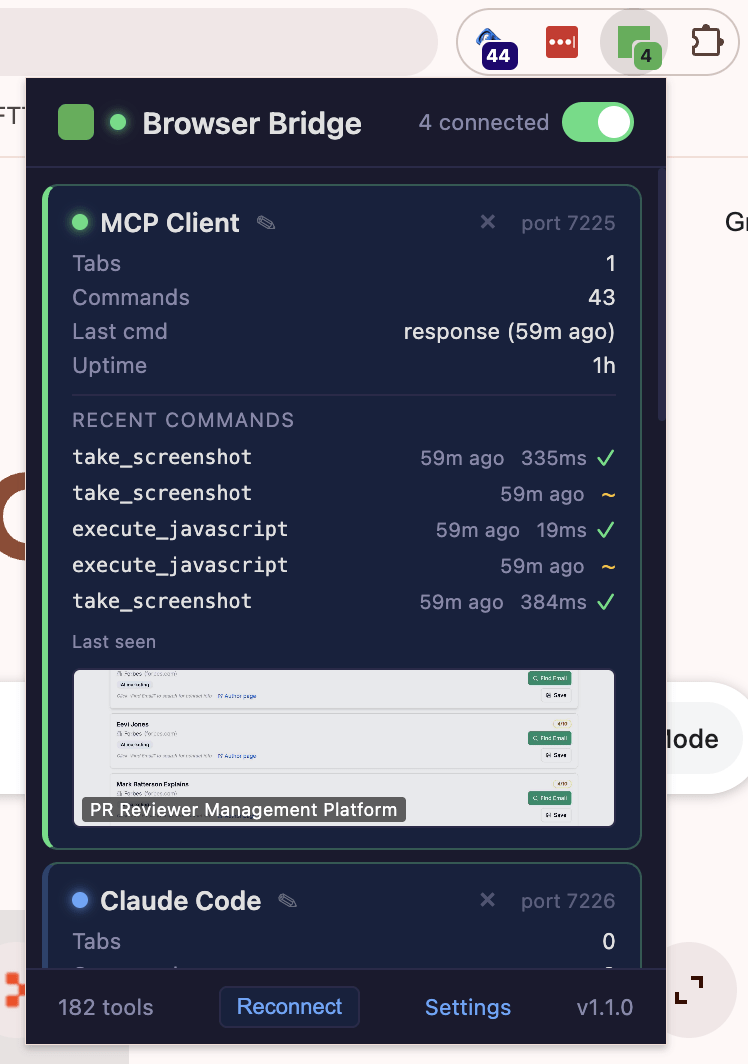
Browser Bridge gives multiple AI agents one shared, self-reconnecting connection to a real Chrome browser while keeping their work separated from the user's own tabs. When a sign-in or approval is needed, it can hand the user the exact protected tab, then close released or idle AI tabs automatically.
Most AI browser tools either run in a disposable sandbox or open a new connection for every assistant. Browser Bridge connects MCP clients to the user's real Chrome through one permanent local service. Each agent gets its own session identity and managed tabs, so several agents can use the same browser connection without taking over one another's work or browsing through the user's personal tabs.
When the connection drops or the service restarts, lightweight gateways reconnect automatically and restore the session context. Browser Bridge does not blindly replay a lost click or form submission, because that action may already have happened. Instead, it reports the uncertainty and asks the agent to inspect the page before trying again.
When a page requires sign-in, 2FA, OAuth consent, a CAPTCHA, or another human-only step, the agent can pause and create a protected handoff for that exact tab. The user can jump directly to the existing tab without a reload, a new tab, or an ownership change. Once the user continues, the agent resumes from the same page.
Browser Bridge also acts as a tab steward. AI work is isolated from normal browser tabs by default, released tabs close automatically, and idle AI tabs expire after an hour. Tabs that are pinned, playing audio, being viewed, or waiting for the user are protected. The result is reliable browser automation that stays connected, keeps Chrome tidy, and leaves the user's own browsing alone.
Get Started with Browser Bridge MCP
Send us a message to learn more or request access to this tool.
